
Searching Cases by Name
For a Superior Court matter, head to the Washington Odyssey Portal and pick Smart Search. Type the party's name in “Last, First Middle” order. That comma after the last name matters. A space before the first name keeps the format official. Finish the reCAPTCHA step. You can narrow results by choosing Kitsap under Court Location, then submit. Anonymous users see public case information without registering.
- Confirm the papers name Kitsap County Superior Court.
- Choose Smart Search and enter the name in the stated order.
- Complete reCAPTCHA and apply location, date, type, status, or officer filters.
- Open the case number and review information, events, hearings, and Register of Actions.
| Field Label | Type | Required | Notes |
|---|---|---|---|
| Smart Search | Text | Search value | Case number or party name. |
| I'm not a Robot | Checkbox | Yes | Complete before Submit. |
| Court Location | Dropdown | No | Select Kitsap to narrow results. |
| File Date | Date range | No | Limits the filing window. |
Kitsap Superior Cases in Odyssey
Odyssey covers Superior Court only. District and municipal cases are not in it. Two tools sit inside: Smart Search and Search Hearings. Advanced search types include attorney bar number, attorney name, business name, cross-reference number, case number, judicial officer, nickname, and party name. Hearing searches add courtroom, date range, and Civil, Criminal, Family, Probate, or Mental Health categories. The official Odyssey Portal displays the public search tiles.
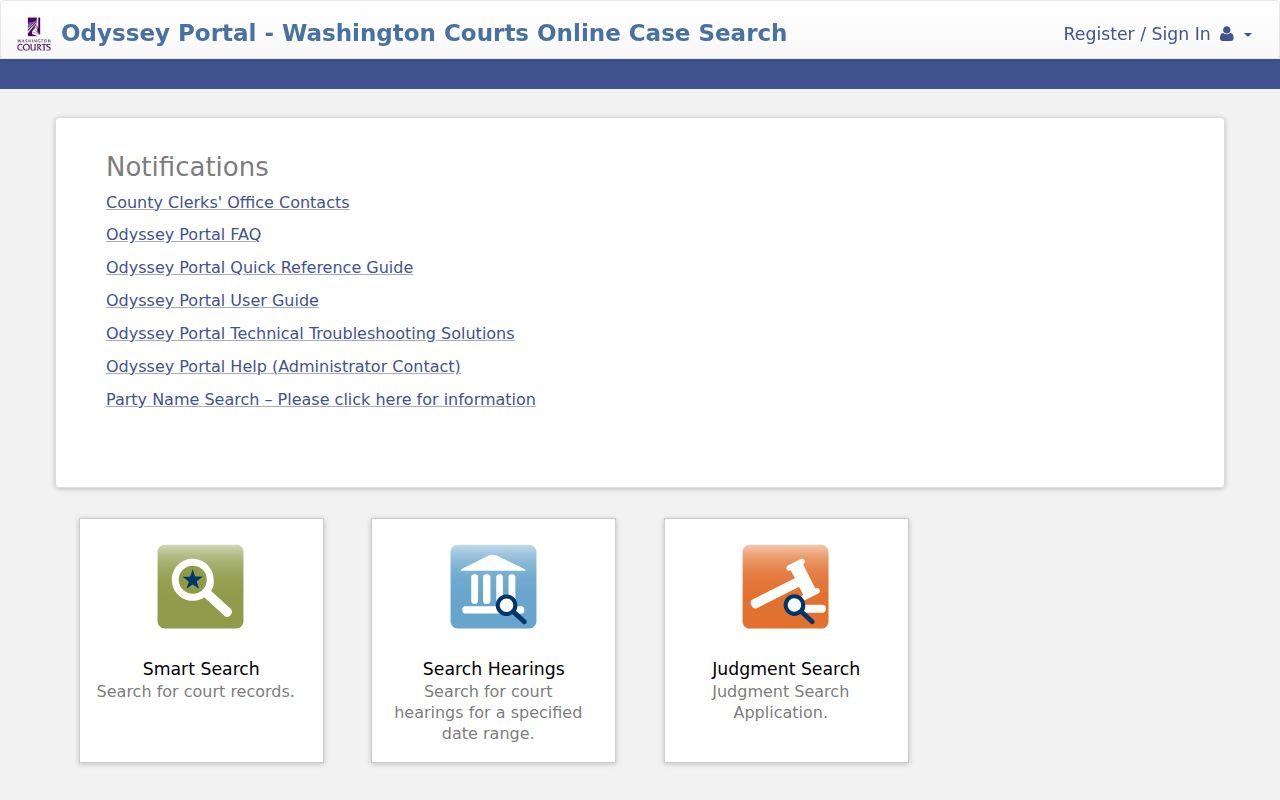
Click a result and the tabs appear: Case Information, Party, Disposition Events, Events, Hearings, and Register of Actions. Anonymous users should not expect document images. Images depend on the clerk's system and an authorized role.
Searching by Case Number
A case number cuts through the clutter of similar names. Enter it exactly as printed, punctuation and dashes intact. Kitsap's courts do not share one universal format. Never invent a pattern; use the exact court-issued number. Odyssey takes it in Smart Search. The District ePortal asks you to type it and click Search.
For older Superior documents held in Washington State Digital Archives, pick the record series and Kitsap County. Then enter the cause number with its dashes. Check “Description” and “Image Exists” before choosing a document. A statewide search can help you find the number in the first place. But the County Clerk keeps the Superior file itself.
Kitsap District ePortal Accounts
Kitsap District Court keeps its own tool, the District Court ePortal. It runs apart from Odyssey. An account is required before you can run any docket search or open a file. Sign up once, then log in with your email and password.
Inside the portal, Case Search works from the case number. Calendar Search by Name needs a last name plus an event date or date range. Attorneys and officers get extra options. They can search by Bar Number or Badge Number. Then they open the case number shown in blue. The ePortal also takes PDF e-filing. That does not turn it into a Superior Court system, though. If access fails, help is close at hand. Call District Court at 360-337-7109, email districtcourt@kitsap.gov, or stop by Room 106. The official ePortal landing page spells out the current login and filing steps.
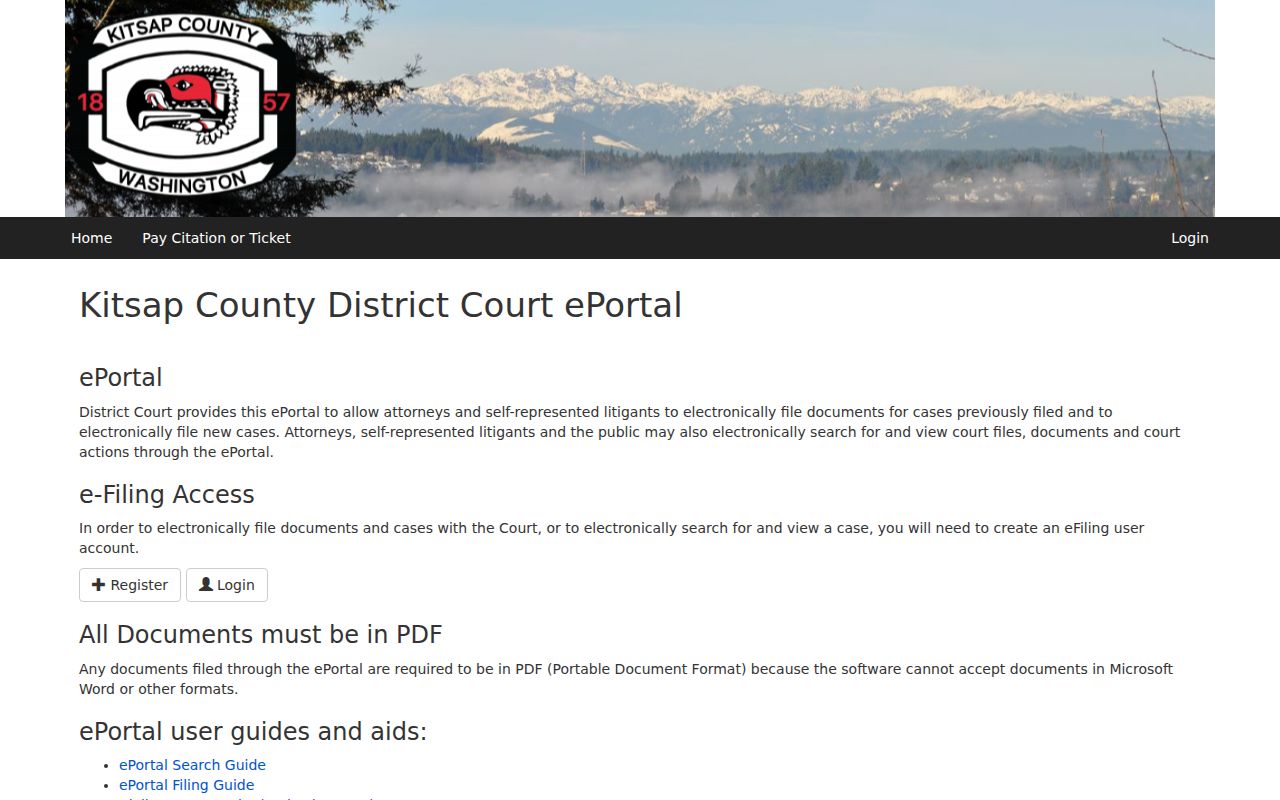
The ePortal's registration controls explain why a public user sometimes hits an account gate. Before making a clerk request, the statewide index can supply basic case information.
What a Case Search Returns
Odyssey results can filter by number, file date, type, location, and party name. A detail view may include the case header, parties and their roles, hearings, disposition events, and a dated Register of Actions. Washington's statewide index labels docket-like entries “Case Activities.”
| Case Number | The court identifier with its original punctuation. |
|---|---|
| Style / Parties | The caption and public party names or roles. |
| Case Type | The court's category where exposed. |
| Filed Date | The date the case entered the system. |
| Status | The displayed state, which needs verification. |
| Register of Actions | Dated filings, activity, hearings, and dispositions. |
A docket entry is not a document image. The fee-based JIS-Link service is display-only and supplies no case documents. Anonymous Odyssey access omits images too. For copies, use the Clerk, Digital Archives, or the court of record.
Kitsap Name Search Traps
Common names can return hundreds of hits. Trim the results by Kitsap, file date, case type, status, or judicial officer. Do this only when you truly know those details. “Sounds Like” applies Soundex to catch similar spellings, though it cannot pair with a wildcard. A number wildcard needs at least four characters before the asterisk.
Sounds Like: phonetic party-name matching.
Wildcard: a partial case-number completion tool.
Judicial Officer: the judge or commissioner linked to a case or hearing.
If a search comes back blank, retry the exact spelling and name order from the court papers, then confirm the court level. District, municipal, juvenile, archived, appealed, tribal, sealed, or brand-new matters may need a different route.
Statewide vs County Case Search
The Washington Case Records Search reaches municipal, district, superior, and appellate cases in one place. It supports number, participant, attorney or bar, date, and court-date searches. Entries typically appear about 24 hours after clerks enter them. The service itself warns that dockets, judgments, links, and status can be missing or inaccurate. So treat it as an index.
| Statewide Portal | Kitsap Portal |
|---|---|
| Searches across Washington courts. | Routes to Superior Odyssey or District ePortal. |
| Best when the court is uncertain. | Best when court level is known. |
| May lag or omit details. | Uses local fields and access rules. |
| Not the complete file. | The clerk remains custodian. |
Kitsap Municipal Court Choices
Four cities run their own municipal courts: Bainbridge Island, Bremerton, Port Orchard, and Poulsbo. They handle city-limit misdemeanors, traffic and non-traffic infractions, parking, and related matters. Statewide search can find a case there. Find My Court Date can find a hearing. But the city clerk holds the full file along with local payment and request directions. Call Bainbridge at 206-842-5641, Bremerton at 360-473-5260, Port Orchard at 360-876-1701, or Poulsbo at 360-779-9846. Appeals may later land in Superior Court under a new number and keeper. Suquamish Tribal Court is separate; call 360-598-3311 rather than using state portals.
Access and Restricted Cases
Washington General Rule 31 tilts toward openness in court records. Plenty of material never reaches the internet. Sealed cases and sealed documents stay hidden from the public. A docket entry can even mention sealed material and remain visible. That entry stays open, unless the fact itself is restricted. Redaction works differently, masking personal identifiers while the public docket metadata stays in place.
Family matters get special handling under General Rule 22. Protection orders, guardianships, and therapeutic records share that protection. The public cannot view juvenile files, dependencies, or adoptions in the Kitsap County Superior file room. Some District and municipal items may also be unavailable. That list includes police reports, witness statements, presentence reports, driving records, criminal histories, and compliance letters, unless they become part of the public court record.
Here is a wrinkle worth knowing. Court case files are not ordinary requests under the Washington Public Records Act. That statute is chapter 42.56 RCW. Superior requests go to the County Clerk. District requests go to that court's clerk, and city matters to the municipal clerk. Whichever channel you use, by mail, email, phone, or in person, provide enough detail to identify the case.
Kitsap Blank Result Checklist
A blank result does not mean no case exists. Confirm the name, number, filing age, and court. Maybe the case sits in a municipal court rather than a county one, or in District rather than Superior. New entries can lag the state index. Appeals gain Superior numbers, while old documents may sit in the archives. Tribal cases sit outside the state system entirely.
Next, weigh access limits. A sealed case, or a restricted family, guardianship, protection-order, therapeutic, or juvenile matter, may be hidden from public view. Call the clerk with the court, the number, the party name, and a filing or hearing date. Superior help waits at 360-337-7164 and Room 202. The clerk can explain the process. But no one will promise access to restricted records.
Bring details that let a clerk tell one Kitsap County record from another. The court name, the exact party spelling, the case or cause number, and an estimated filing or hearing date all help. Superior Court users can visit the public-file area, request copies through the Clerk's process, or follow the Digital Archives route for selected material. District users can pair the statewide index with ePortal and direct clerk contact. Municipal users should contact the city court itself. Each channel covers different records. Finding the right keeper beats repeating the same query in the wrong database.